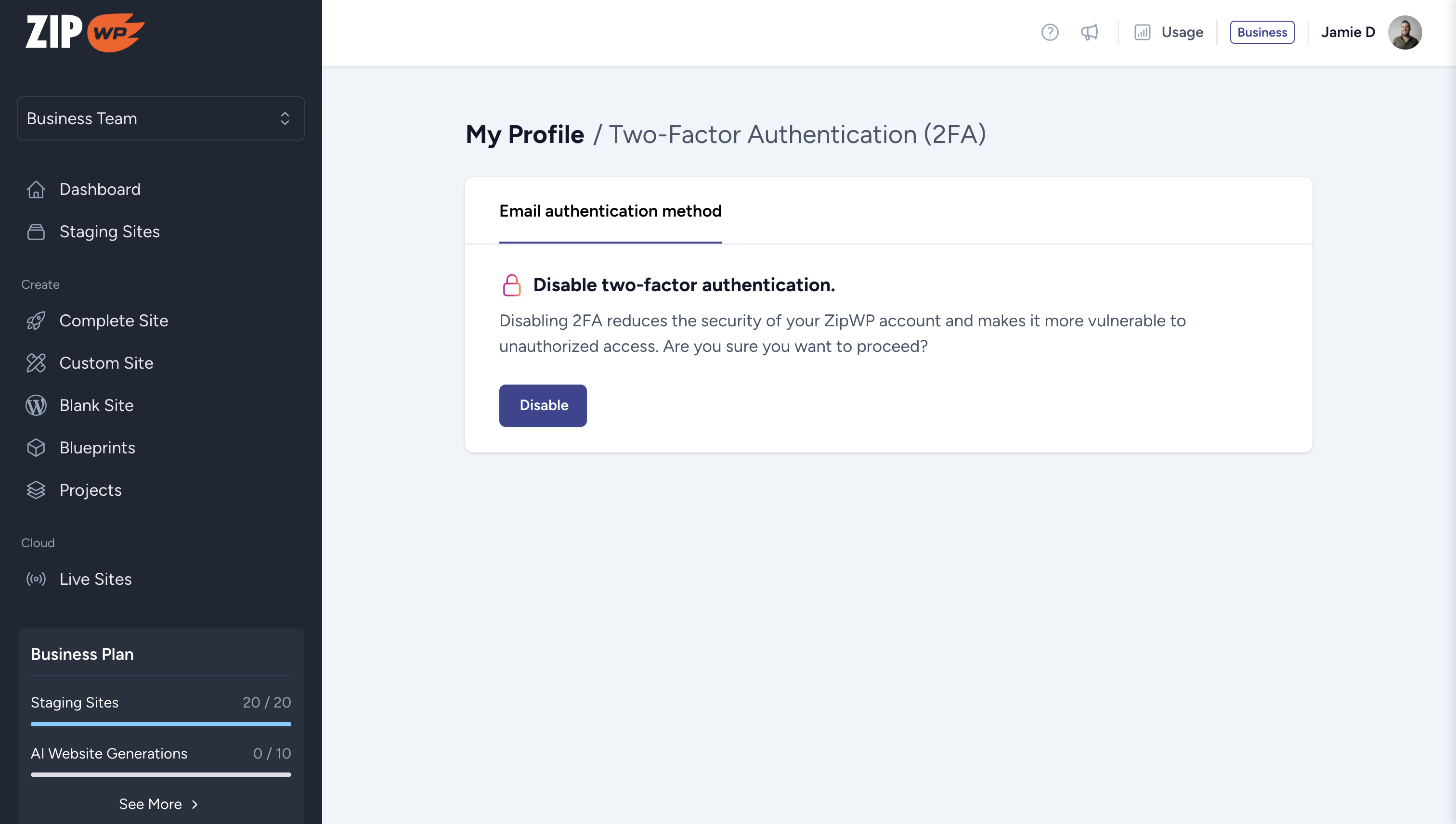
We’re excited to introduce Two-Factor Authentication (2FA) via Email—an extra layer of security to keep your ZipWP account safe and protected.
🔒 What is 2FA and Why Does It Matter?
2FA adds an additional step to your login process, requiring a one-time code sent to your registered email. This ensures that only you can access your account—even if your password is compromised.
We understand that security preferences vary, so you have full control! You can enable or disable 2FA anytime from yourAccount Settings.
This feature is now live for all ZipWP users! Log in today to add an extra layer of security to your ZipWP account.
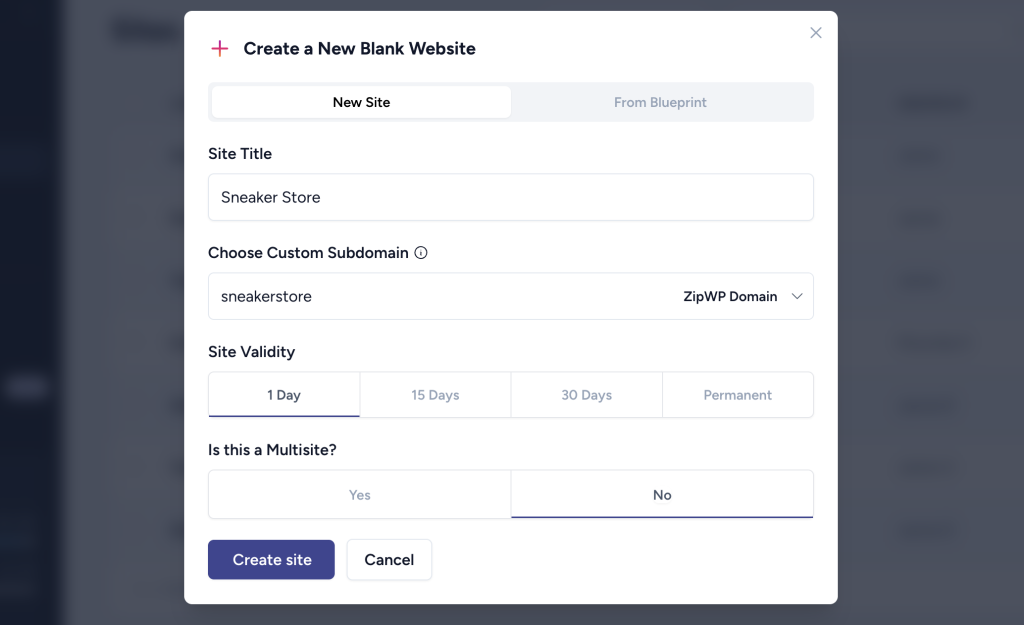
We’re thrilled to announce that ZipWP now supports custom domains for instant blank sites.
This update gives you greater control over your website URLs, helping you craft a more personalized and professional online presence.
How It Worked Before
Default Random Subdomains
Previously, every site built with ZipWP was automatically assigned a random subdomain paired with one of our available domains. These unique URLs were generated by combining descriptive words with extensions like .zipwp.top, .zipwp.site, or .zipwp.dev. For example:
lively-sunset-fox.zipwp.top
bold-river-breeze.zipwp.site
swift-mountain-leaf.zipwp.dev
This resulted in distinctive but unpredictable URLs.
With Branded URLs Feature
We also offer a Branded URLs option, allowing you to specify a subdomain. This feature combined your site title with random characters for a semi-customized URL. For example: marketing-course-xya.zipwp.top (for an online course).
While this added some personalization, it didn’t provide the full flexibility many of you wanted.
What’s New with This Custom Subdomain Update
Now, you can set an exact custom subdomain that fits your needs. Whether you’re creating a portfolio, an e-commerce store, or an educational platform, you can define your URL structure. For example.
portfolio.zipwp.xyz
shop.zipwp.top
This added flexibility ensures your website URLs align with your vision and maintain consistency across your projects.
Custom Root Domain Support
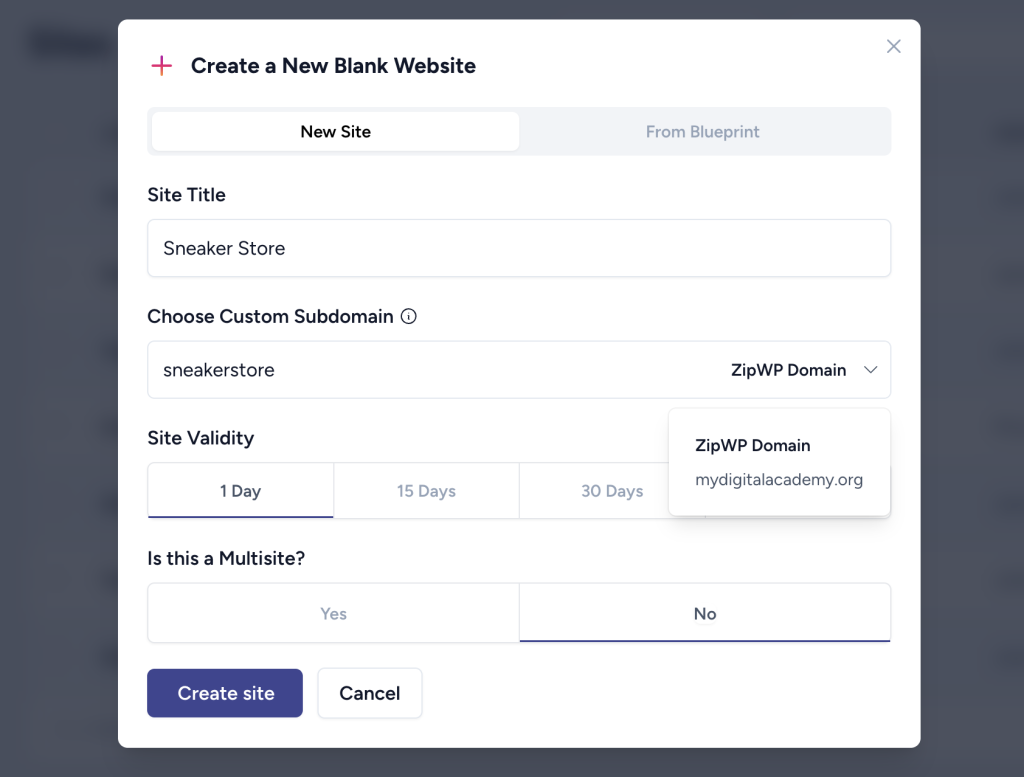
On top of custom subdomains, you can also connect your own root domain to ZipWP. This allows all your websites to have your personal or business domain instead of ours, giving you a fully branded experience. For example: course.mydigitalacademy.org.
Your URL is a vital part of your brand, and with these new features, ZipWP helps you create a professional and cohesive online presence—whether you’re showcasing your work, selling products, or teaching a course.
A while ago, we introduced the ZipWP Chrome Extension to help you create WordPress sites effortlessly. Now, we’ve taken it to the next level with a major update that lets you turn any LinkedIn personal or company profile into a complete website—instantly and with minimal effort.
Whether you’re a freelancer, consultant, coach, or business owner, your LinkedIn presence can now become a fully functional website in just one click.
How It Works
Install ZipWP Chrome Extension.
Open LinkedIn and visit any personal or company profile.
Click the Create Website Using ZipWP button when you’re on the profile.
ZipWP will extract the data from profile and place it in the AI website builder. You can simply review and launch your website.
Who Is This For?
Professionals – Create a site showcasing your bio, services, and testimonials effortlessly.
Agencies – Quickly generate draft websites for potential clients, eliminating content delays and streamlining onboarding. Show a real site in the first meeting to close deals faster.
Get started today and transform your LinkedIn presence into a polished website in seconds.
To keep you informed, we are working on adding more features to our Chrome Extension, such as site generation from Yelp and Google My Business profiles. We’ll announce it soon.
We’ve just made building custom websites even easier! Now, with our latest update, you can edit content directly within the wireframe—before your site is even generated.
What’s New?
Previously, you had to wait until your site was built to make content changes, adding extra steps and revisions. But now, you can fine-tune headings, descriptions, and CTAs right within the wireframe, so your final site is already closer to your vision.
How It Works
Once your sitemap is ready, ZipWP generates a wireframe—a simplified version of your site’s layout.
Click on any element to edit text, update CTAs, or refine key content before moving forward.
Once you’re happy with the content, generate your full website with all changes intact.
You will love it because it saves time – No more going back and tweaking content after site generation.
Try It Today!
This feature is available exclusively on Business plan. Upgrade now for a faster, smoother website-building experience! 🚀
We’ve been hard at work improving the Custom Site Builder and preparing a roadmap for the same, and we’re excited to share the latest updates with you!
What’s Fixed?
Some users previously encountered issues like content generation failures and inconsistent performance.
To tackle this, we redesigned the entire logic from the ground up to ensure:
✅ Faster site generation – Experience quicker and smoother website creation. ✅ Improved stability – No more unexpected content generation errors. ✅ Multiple bug fixes – Enhancing overall reliability and performance.
What’s New?
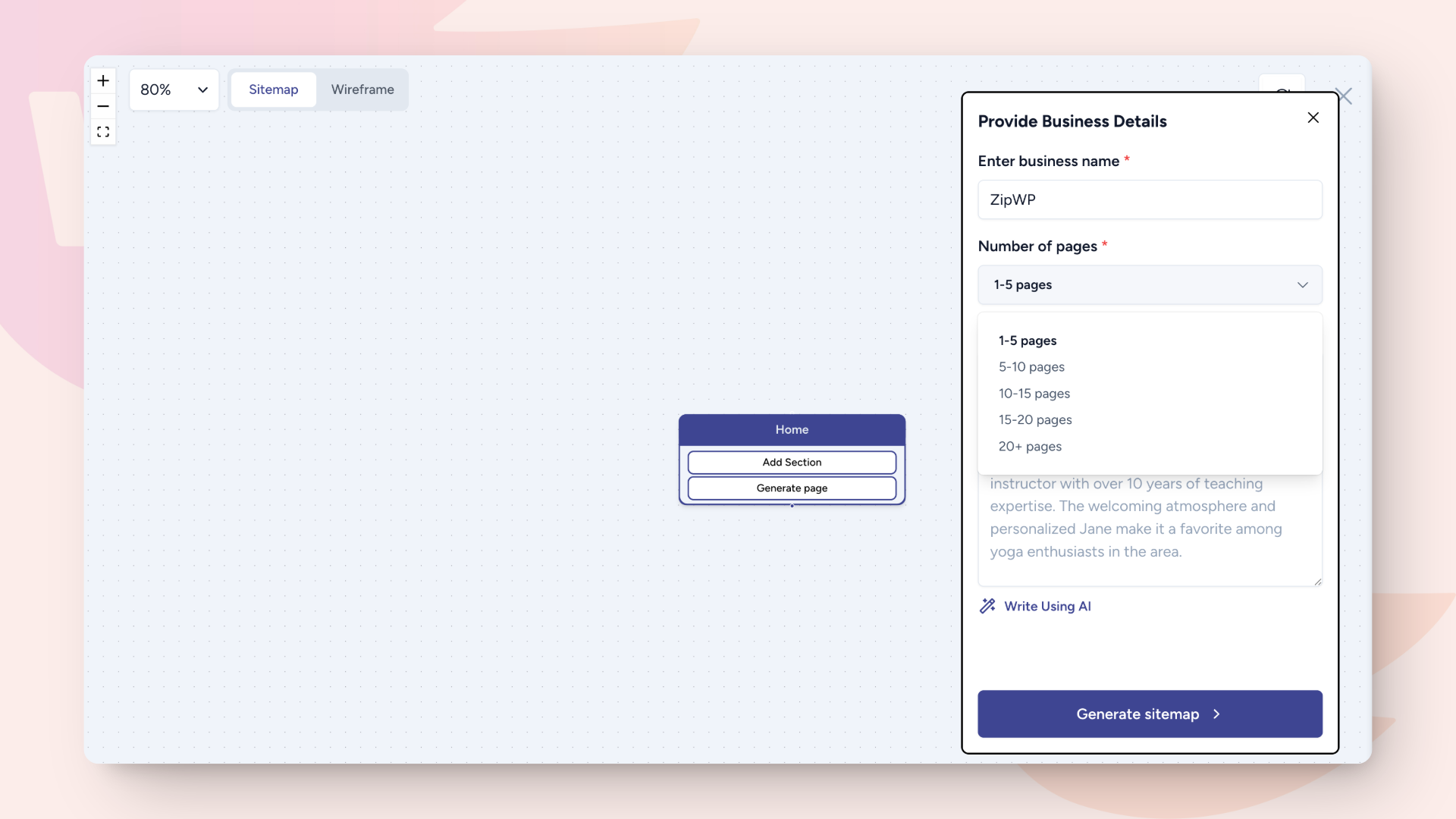
We’ve added a very useful feature—sitemap page counts!
You now have the ability to select the exact number of pages your sitemap should include, giving you more control over your website’s structure.
Have Feature Requests?
We’re always looking to improve! If you have ideas or feature suggestions, let us know at https://ideas.zipwp.com. Your feedback helps shape the future of the Custom Site Builder!
Try out the latest updates and let us know what you think! 🚀
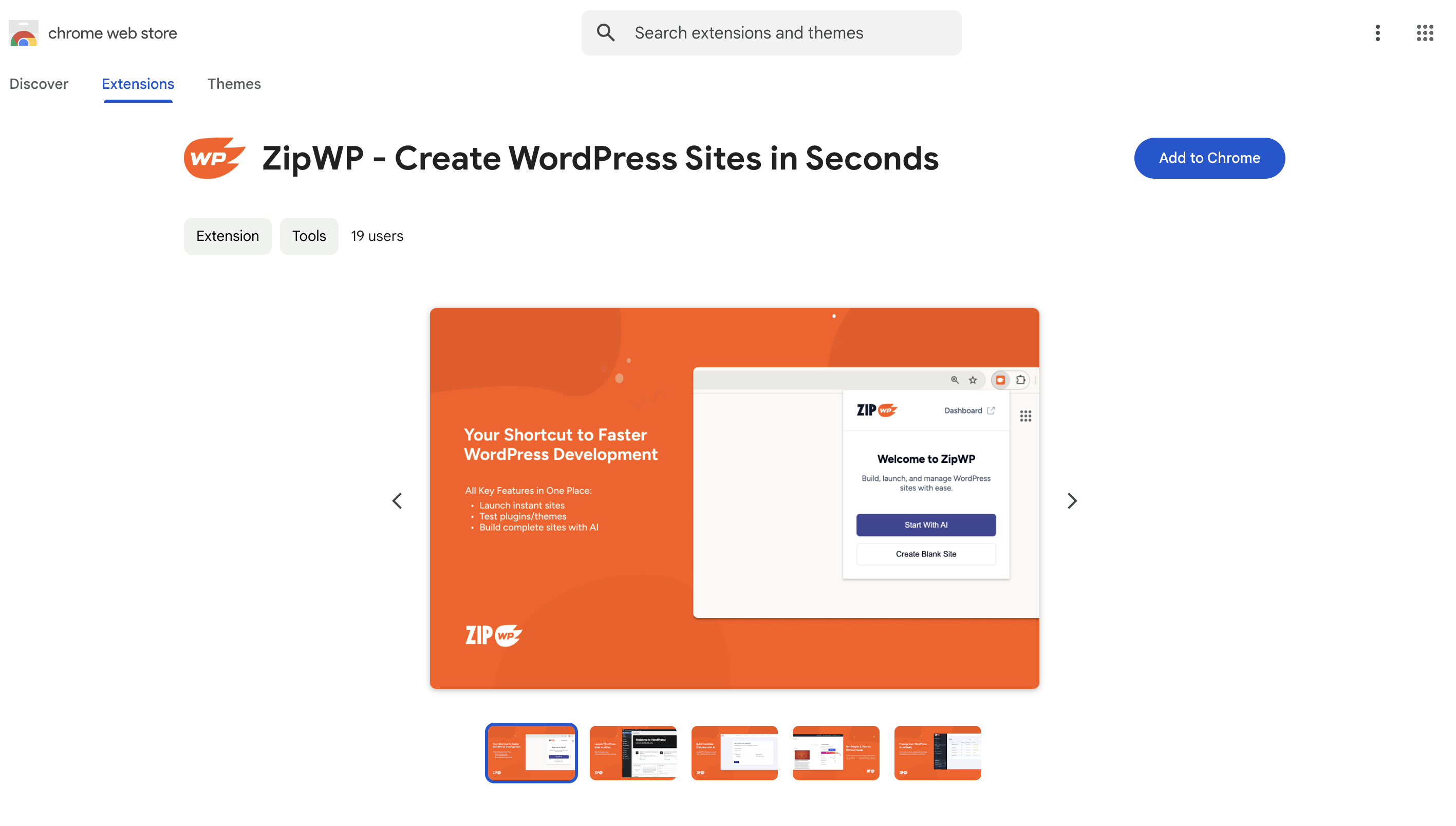
We’re thrilled to announce the launch of the ZipWP Chrome Extension, now available for download on the Chrome Web Store!
With this powerful extension, you can create a fully functional WordPress website in just one click—directly from your browser. No complicated setup, no hassle—just lightning-fast website creation whenever inspiration strikes.
✨ What Can You Do with the ZipWP Chrome Extension?
✅ Launch a WordPress site in seconds ✅ Access the AI Website Builder from any tab ✅ Try themes and plugins from the WordPress repository
We’ve been working on some exciting updates to make ZipWP even better for you. From improving performance to adding new features, here’s what’s new:
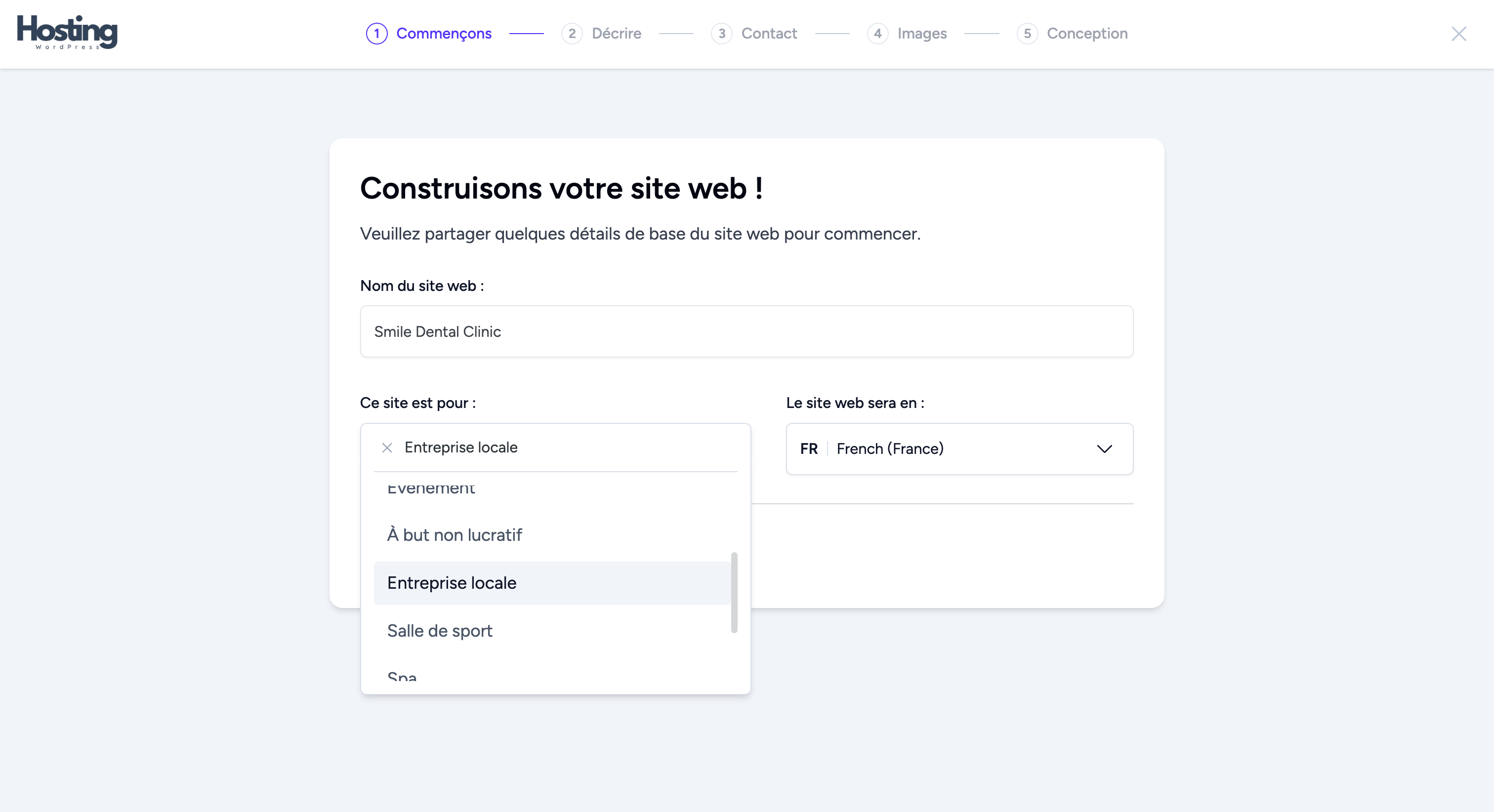
Expanded Language Support for Whitelabel AI Builder
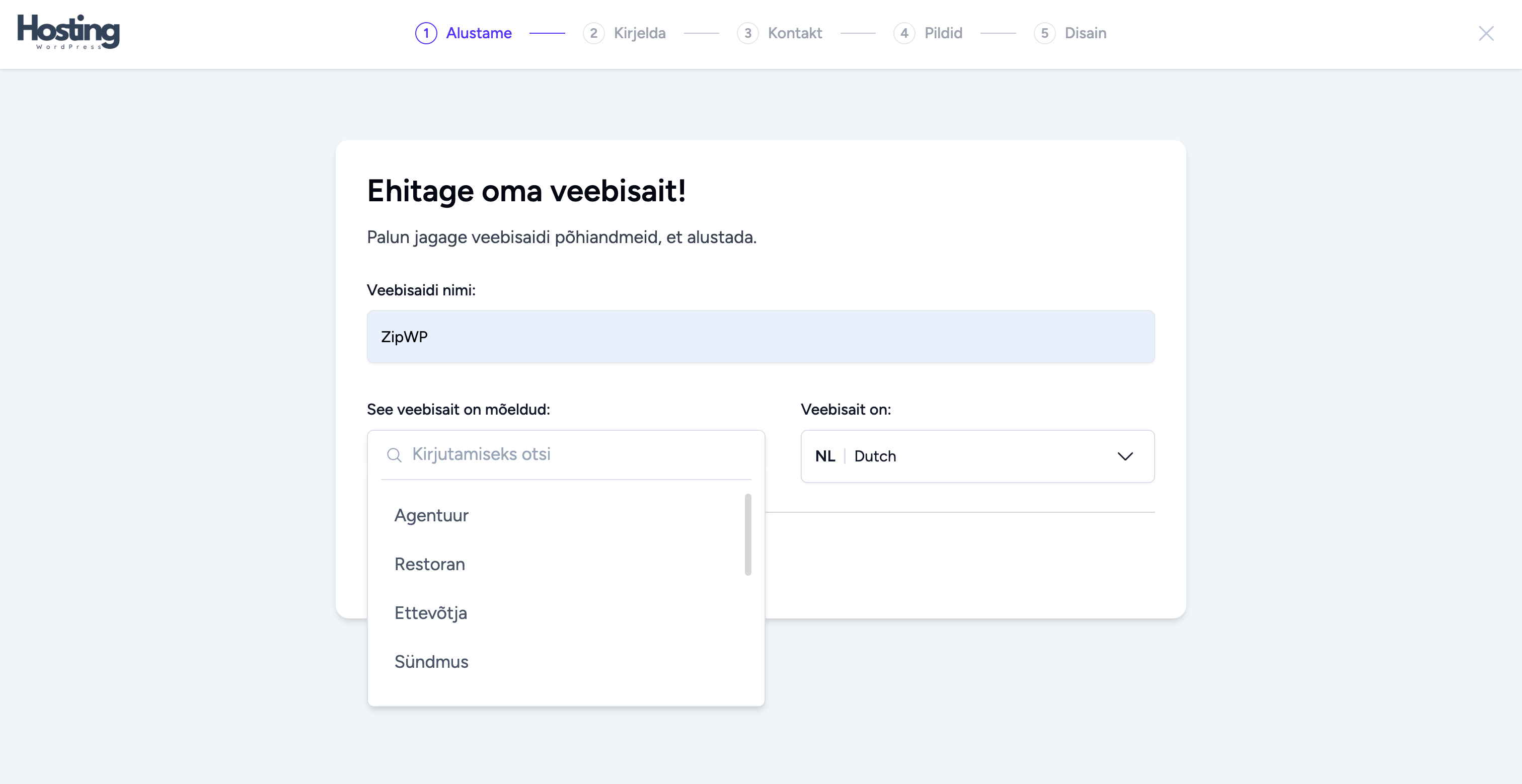
Last time, we introduced translations for the “This website is for” field in French (Fr) and Dutch (Nl) while using the Whitelabel AI Builder. Now, we’ve added German (De) and Estonian (Et) to the mix.
Share AI-Created Sites to Social Media
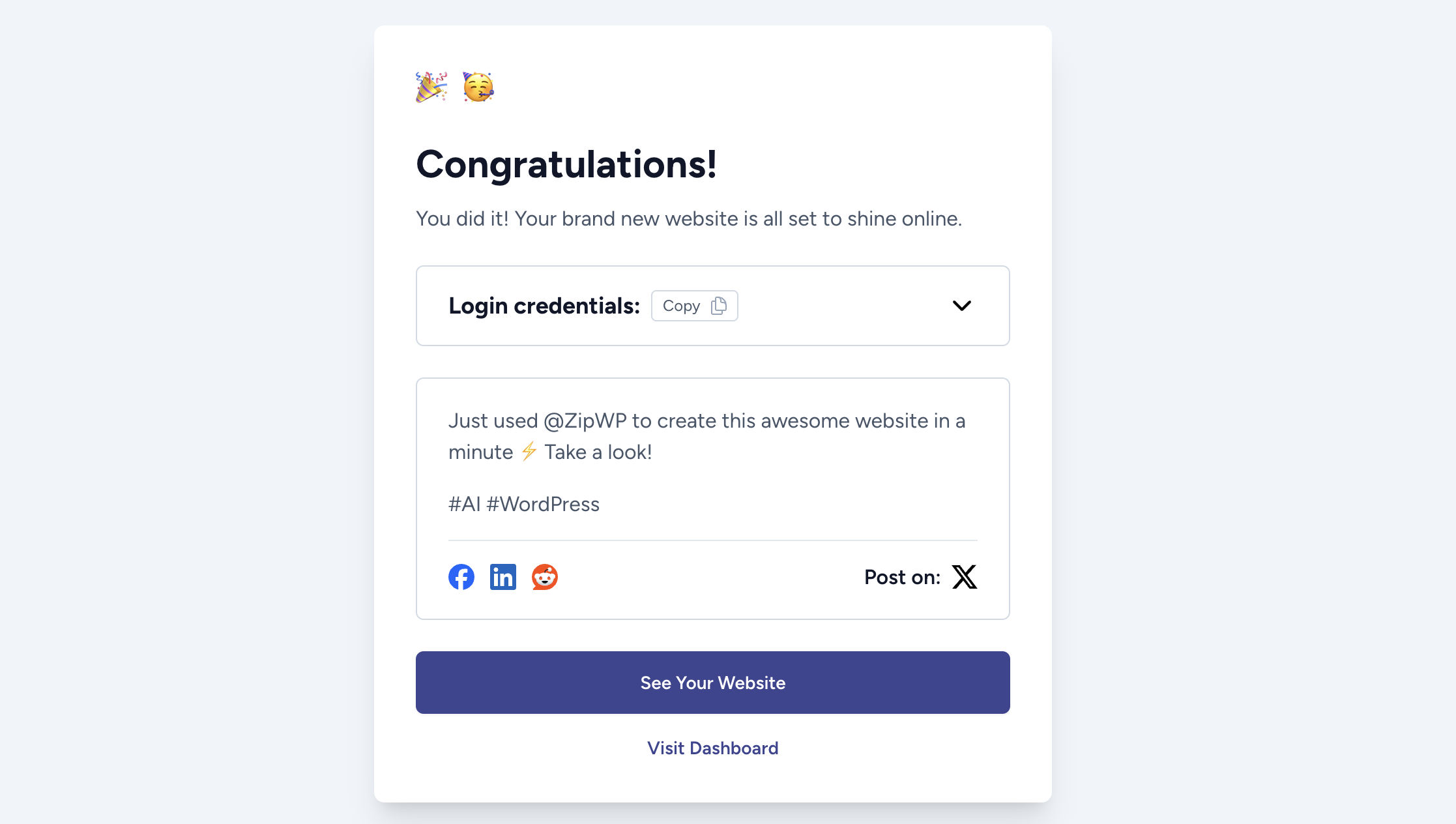
You can now share your AI-created sites directly to social media. Whether you’re showing off your latest creation or promoting your business, this new feature makes it a breeze.
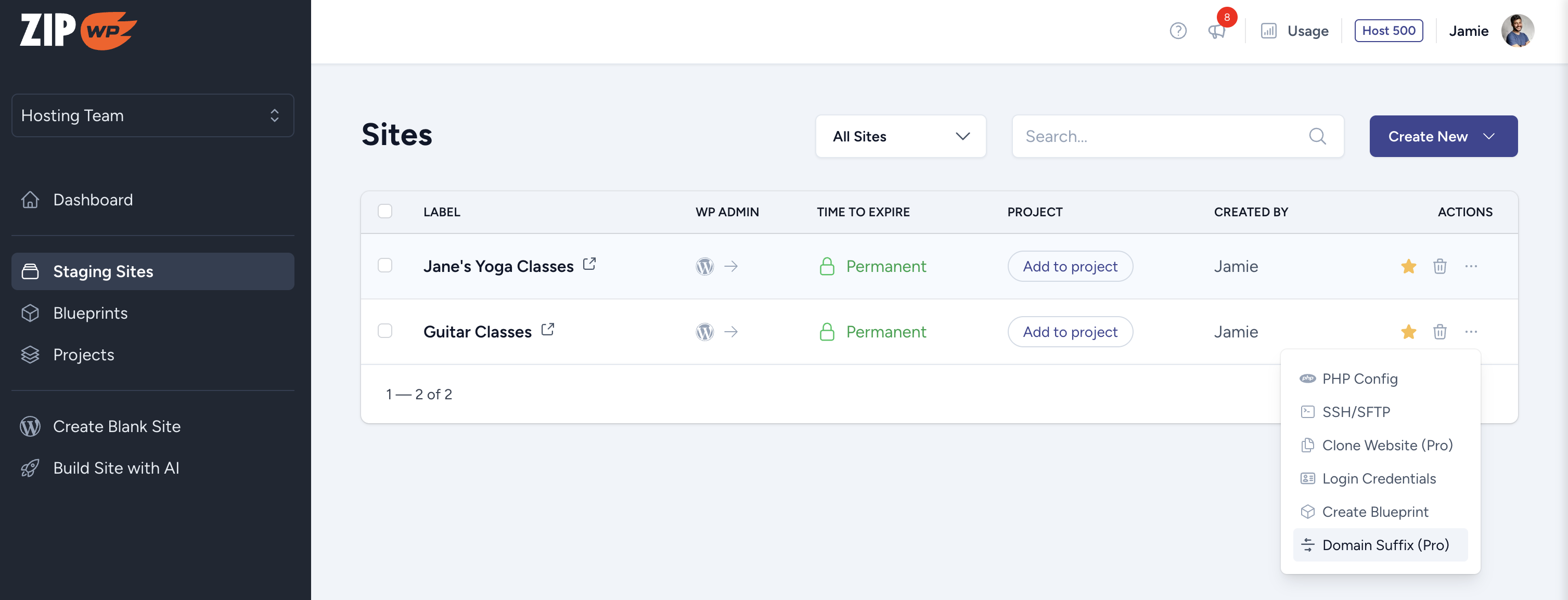
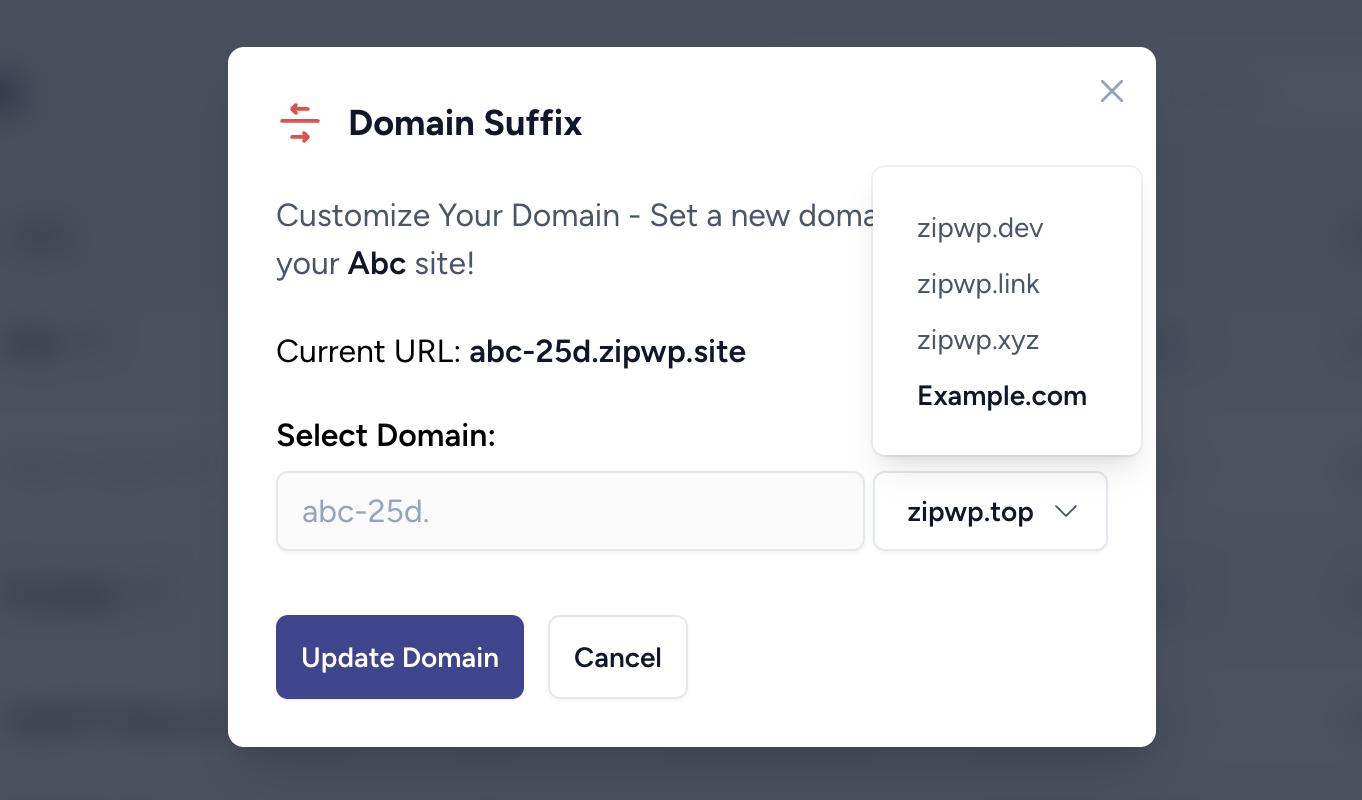
Domain Suffix Change Option
We know this has been a popular request! If your site is on a zipwp.dev, zipwp.top, or zipwp.xyz domain, you can now switch it to your custom domain—no migration headaches.
For example: Let’s say your site is example.zipwp.dev. You can now quickly change it to example.customdomain.com without any hassle. Perfect for sharing polished, branded links.
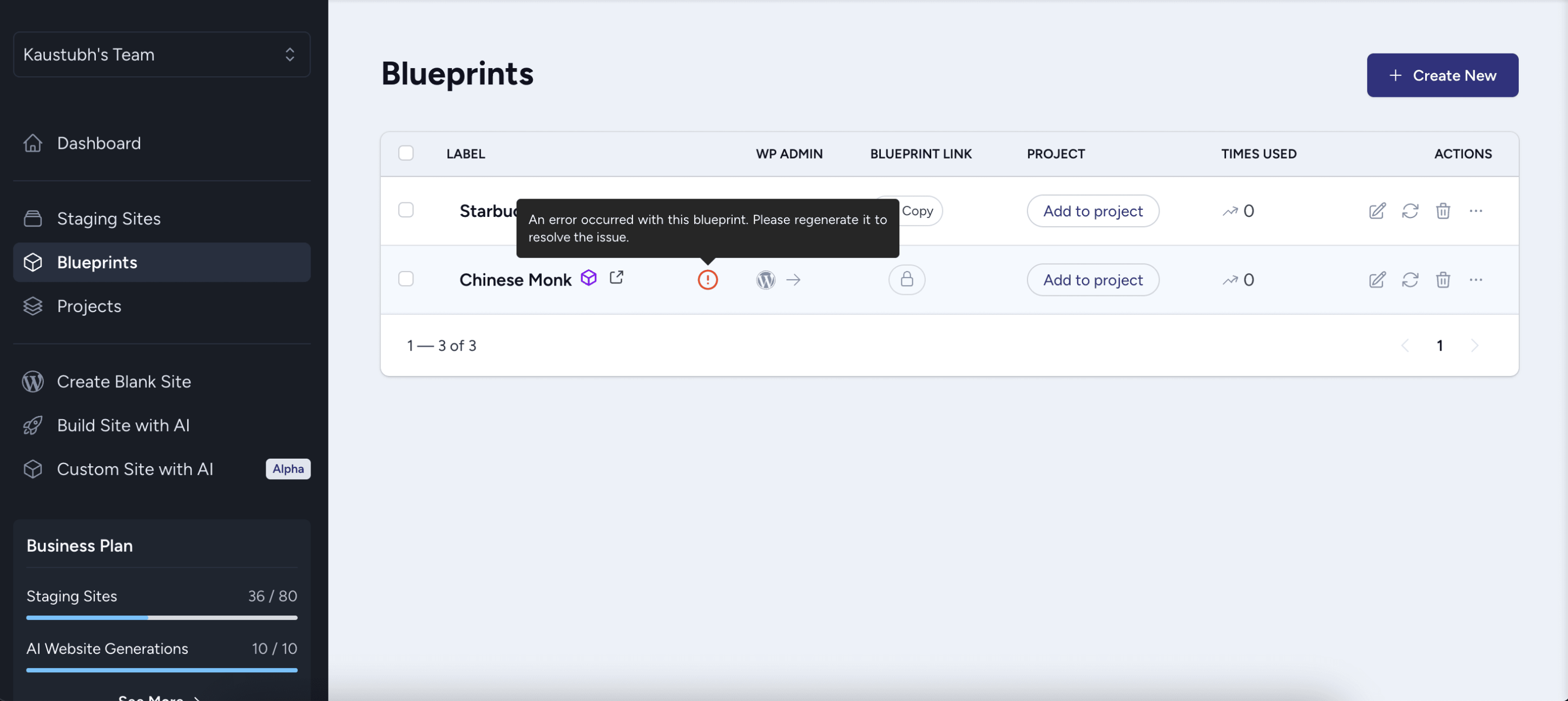
We’ve added an alert icon that shows up if a blueprint runs into an error. This way, you’ll know exactly when something needs fixing, and you can get it sorted in no time.
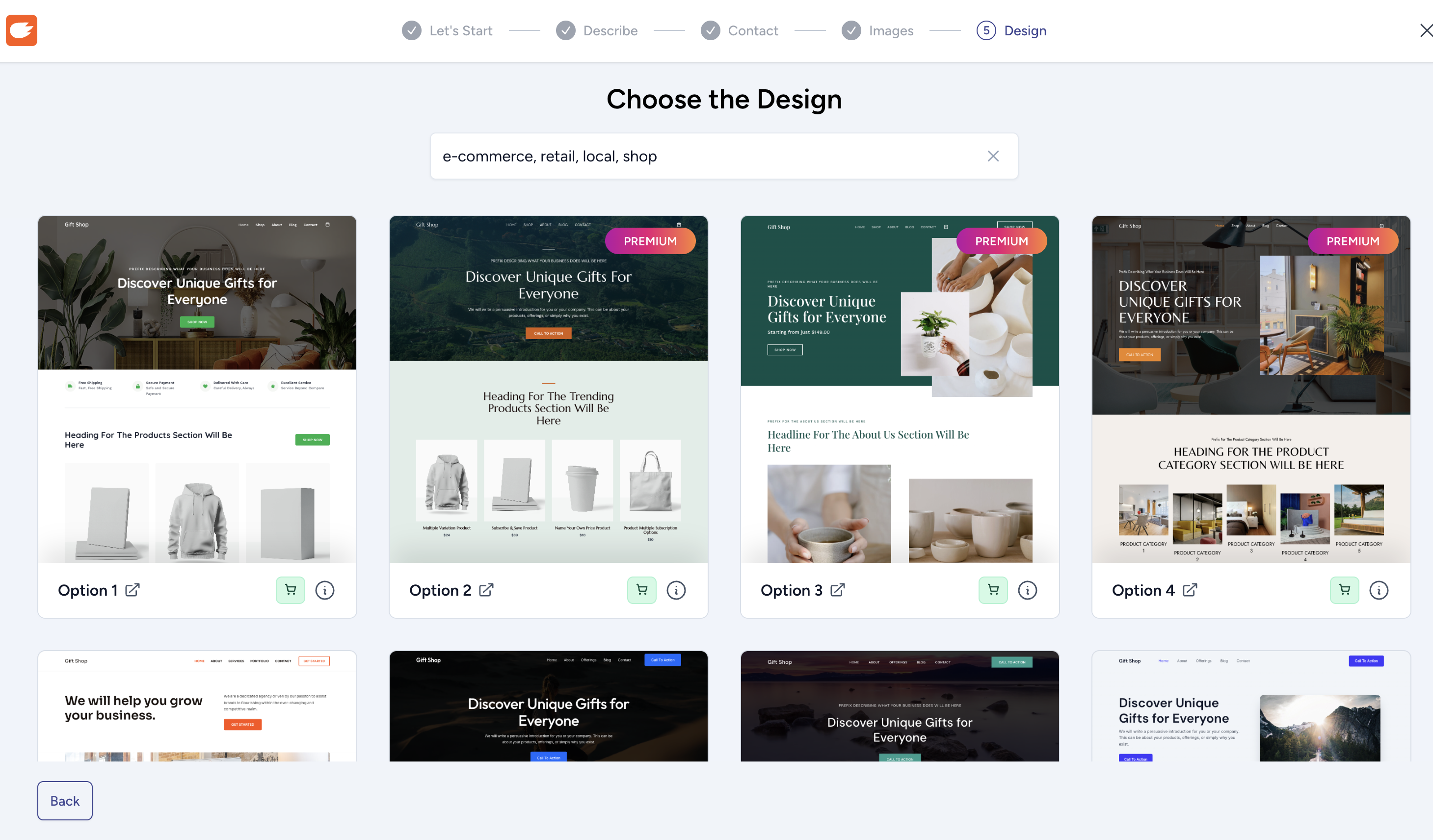
Faster Design Loading
Also, we’ve sped up design loading times so you can explore all the design options faster and without any delays.
We hope you love these updates as much as we do!
Let us know what you think, and stay tuned because we’ve got even more in store.
We’re thrilled to announce that the ZipWP Whitelabel AI Builder can now be translated into many different languages. Learn how the translation works.
What’s New?
Previously, the “This website is for” text wasn’t translatable due to technical blockers. But after some hard work, our team has found a solution and successfully implemented it. Now, you can easily localize your site and cater to your audience in their preferred language.
How to Update:
Simply go to your ZipWP Whitelabel AI Builder settings, regenerate the plugin, and replace the older version with the updated one. It’s that simple!
If you have any questions or need assistance, feel free to reach out to our support team.
We’re always listening to your feedback and working to improve your experience with ZipWP. This time, we’re introducing two requested email notifications that will help you stay on top of activities related to your Blueprint links.
Here’s a quick look at what’s new:
Two New Email Notifications
We’ve added two important email notifications to keep you updated about your Blueprint links.
When a Site is Created via Your Blueprint Link
Before, you wouldn’t know if someone created a site using your Blueprint link unless you logged into your ZipWP account. Now, you’ll get an email notification every time someone creates a site with your link. This helps you stay informed and take action quickly if needed.
When a Site Creation Fails
This scenario rarely happens but if someone tries to create a site using your Blueprint link and it doesn’t work, you’ll now get an email letting you know. This way, you can fix your Blueprint link quickly and keep things running smoothly.
Don’t need these notifications? You can turn them off in your notification settings.
Coming Soon: ZipWP Chrome Extension!
We’re working on a new ZipWP Chrome Extension, and it’s already submitted for review in the Chrome Webstore. It’ll be available soon and will make using ZipWP even easier. We shared a sneak peak of this upcoming extension in our Facebook community. Feel free to join and see what’s coming!
We hope you enjoy these updates! Your feedback means the world to us, so keep sharing your ideas.
We’re jingling with excitement to bring you the final update of 2024, just in time for the holiday magic! Here’s what we’ve wrapped up for you:
🎄Easier Access to Blueprint Active Sites:
Previously, when someone accessed your product demo blueprint link and created a site, it appeared in your account under “Active Sites,” but you couldn’t log in directly. Now, with just a single click, you can log into any of your active sites! 🎅
🎁 Sleeker Plan & Billing Details:
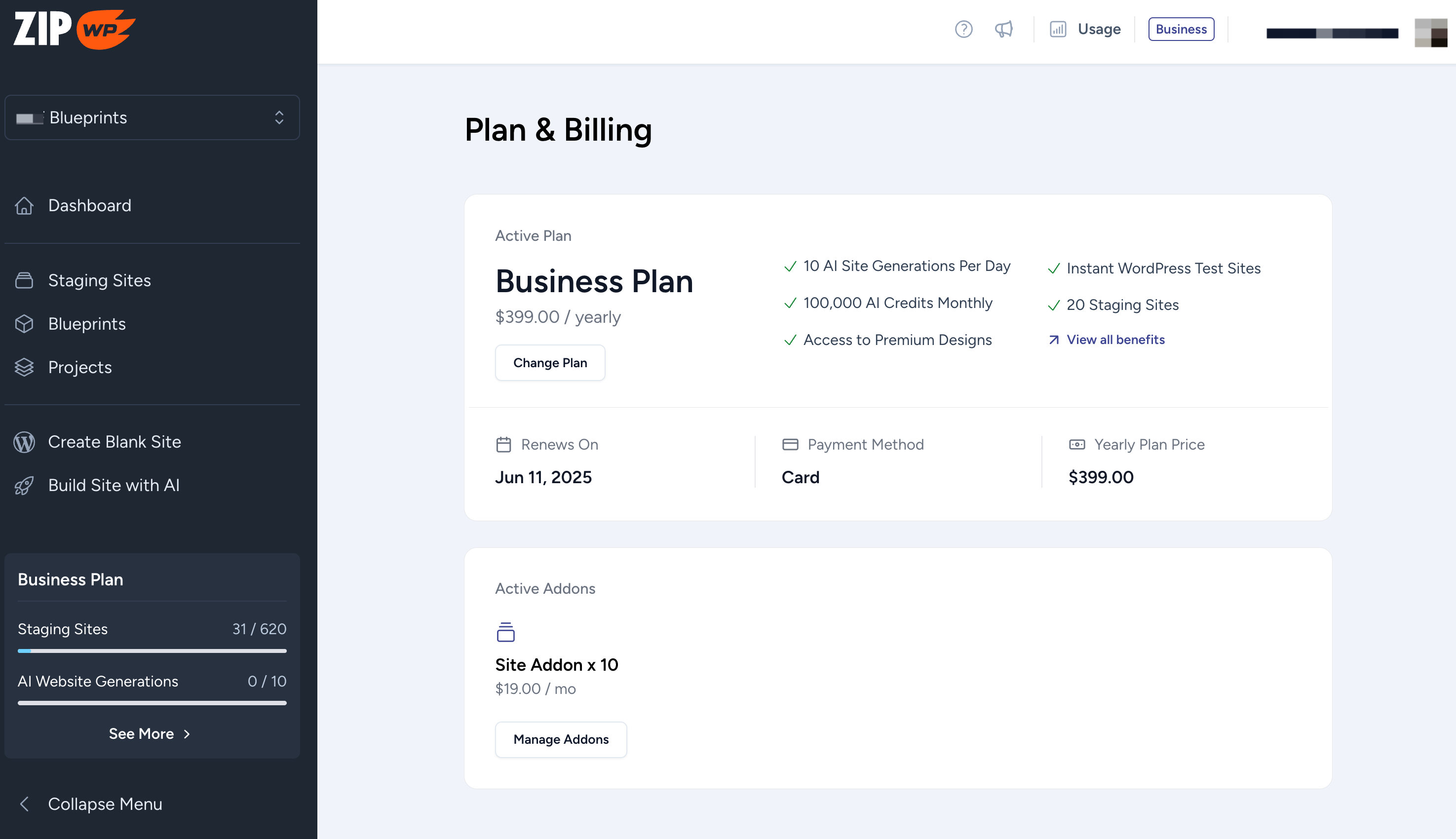
We’ve made enhancements to how your plan and billing details are displayed in the “Plan & Billing” section.
This is just the beginning—stay tuned for more improvements in the future to make this screen even more user-friendly! 🎉
❄️ Custom Website Builder Update:
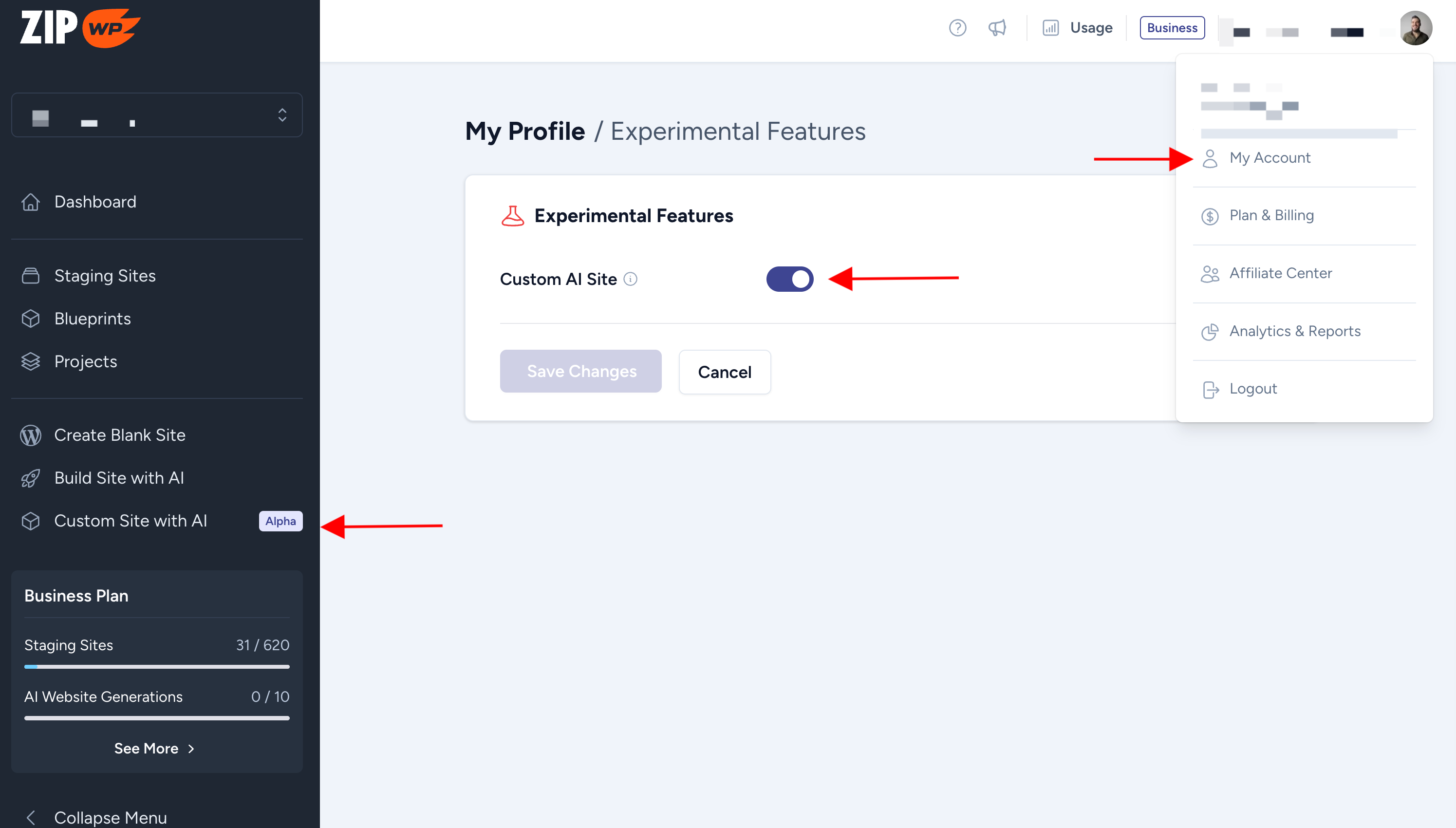
We’ve added an option to enable/disable experimental features, including the custom website builder. To try it out, simply go to My Account → Experimental → Toggle on Custom Site Builder. You’ll find the custom site builder in your ZipWP sidebar! 🎨
As we wrap up 2024, we want to send you all the joy, peace, and cheer of the holiday season!
Merry Christmas and a Happy New Year to you and your loved ones! 🎄🎁
We have big plans for 2025—get ready for more excitement ahead! If you have any ideas or suggestions for new features—let us know here: https://ideas.zipwp.com/.
We’re listening with bells on! 🎅
Ready to Build Your First Website with ZipWP?
Start with ZipWP and build a stunning site in seconds—no tech skills needed.